
Why is it important to tell us about your absence periods or closing days?
By indicating your closing days or vacation periods, you help us adjust the shipment of your orders. This ensures that the carrier does not attempt delivery during these times.
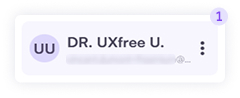
1. Click on the profile card at the bottom left of the screen. This is your personal account area.
You can also log out of iForm from here.
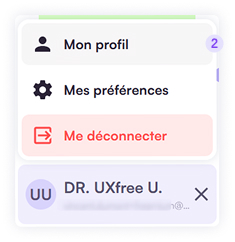
2. In this submenu, click on My Account.
How to add a closing day?

3. If you are closed on one or more days each week, click on the icon for the corresponding day(s). The icon for a closing day will turn orange.
How to add an absence period?

4. Click the Add a period button, then select on the calendar:
- the start date
- the end date
You can enter vacation time, closures, or any other occasional absence.
5. Finish by clicking Save.
💡 Good to know: you can add as many periods as needed. Remember to enter all the periods you already know in advance.