From  Settings → Display (tab) you can adjust:
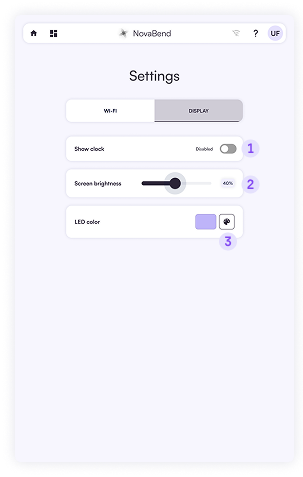
- Show/hide clock – toggle the navigation‑bar clock.
- Screen brightness – slide to set the desired level for comfort and energy saving.
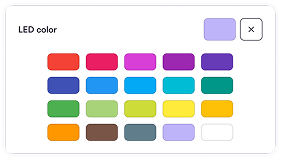
- LED color – choose the internal LED hue from the provided palette (below).