
From the Home menu  , open Wire Management
  . Check the wire status detected by NovaBend™:
Green = wire is long enough – production possible
Orange = wire is too short – replacement required
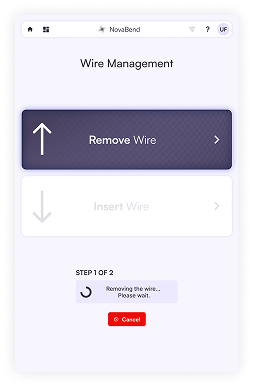
Inserting wire
- Tap Insert Wire and follow the on‑screen instructions.
- Manually push the wire to the stop, then let the robot finish the insertion and confirm.
Removing wire
- Tap Remove Wire and follow the prompts.
- Allow the robot to pull the wire back to the stop, then remove it manually when instructed.
If a blockage or error occurs, a warning appears and the process pauses. Press Cancel, remove the wire, and try again. If the issue persists, contact support.
Note:
When NovaBend™ no longer contains any wire, you will see the following message at the top of the screen:
