
From My Fixed Retainers to Bend  page list.
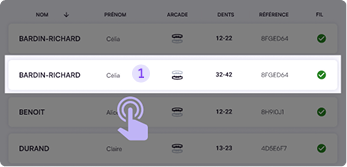
You can search for a patient in the search bar. If nothing appears, tap the manual refresh button (automatic refresh occurs every 5 minutes).
Standard Bending
1. Tap a project line to open its summary page,
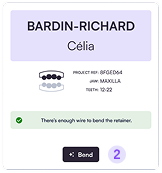
2. Then press Bend to start fixed retainer production.
Quick Bending (shortcut)
- Swipe the project line left to launch production directly, bypassing the summary page.

The next project loads automatically when the cycle finishes, allowing continuous work without returning to the list screen.
Notes :
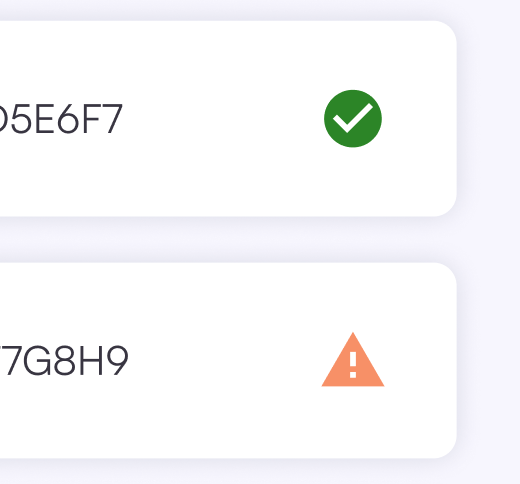
Status icon indicate remaining wire length:
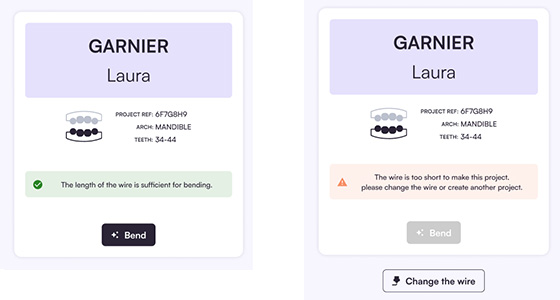
- Green check mark = wire is long enough – production possible
- Orange alert mark = wire is too short – replacement required
You can also find this information on the page summarizing the project to bend:
One project corresponds to one wire; patients with both upper and lower fixed retainers will have two separate projects lines listed.